
There is a new addition to the TSM armoury called the Selection Hunter and it does exactly what it says! By entering criteria in a series of easy to use drop boxes in its user interface you can quickly build a module/query that shows the runners for today.
As a demonstration I will build a query for todays racing at Aintree using the backtest mode and then post the selections before racing starts.
We need to open the selection hunter first and this is achieved by opening TSM and then clicking on the racecards tab at the top and then clicking on the “UK/IRE Horse Racing Selection Hunter” shown below.

This will open the selection Hunter Interface as shown below.

As you can see I have already produced some queries but for this demonstration I will start from scratch.
To start a new query click the first tick box and then, under criteria, select RaceMeet from the first dropdown box make sure “Like” is populated in the String Op box and Type the race course name into the value box as shown below.
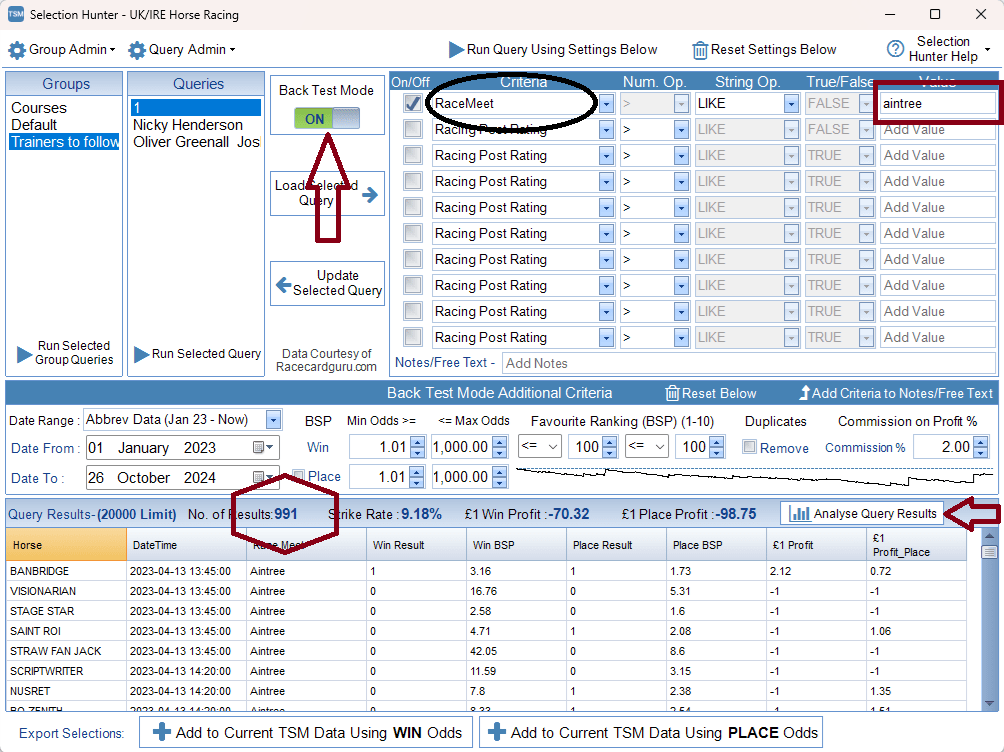
Make sure the Back Test Mode switch is set to on and the date range is Jan 23 – Now by selecting it from the date range drop down box and then Click the run query using settings below at the top of the interface.
This has produced 991 results which in effect is the number of horses that have run at Aintree since January 2023. We need to now analyse this queries results by clicking the box which is arrowed above. This will open the screen shown below

Next click the additional breakdown button arrowed to bring up the following screen.
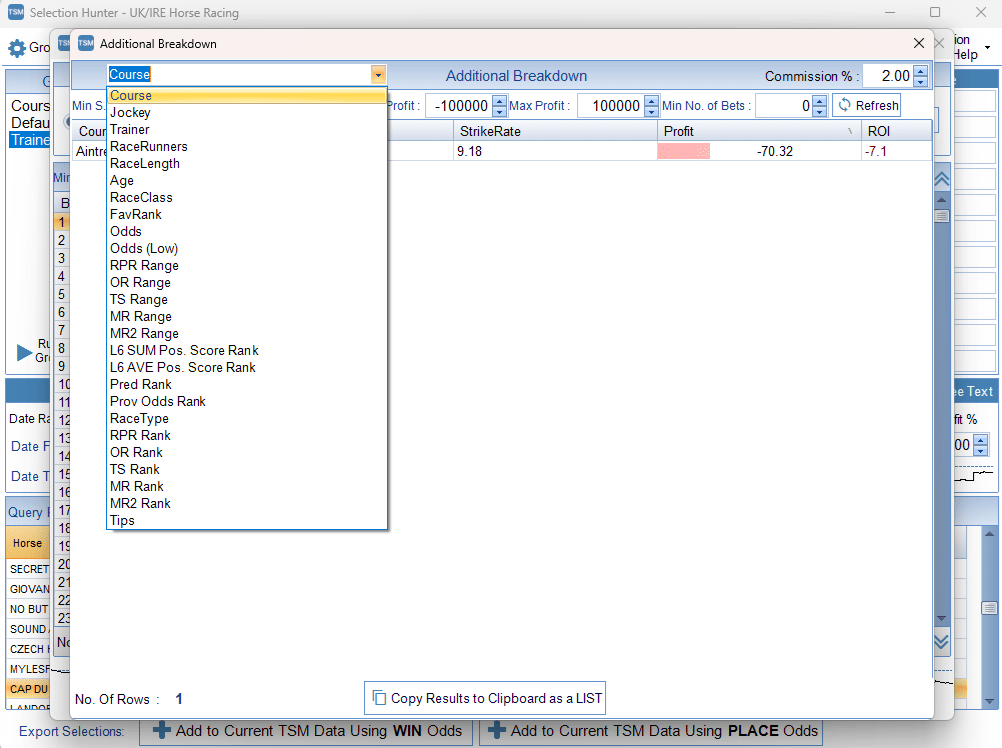
We can now drill down our query to specific criteria such as Jockey, Trainer, Racerunners etc. For this demonstration I will select odds from this dropdown list to produce the following screen.

From this screen we can determine the optimum odds that produced the greatest strike rate and in this case with a strike rate of 68% odds of 2 to 2.99 BSP produced a return on Investment of 61.4% We can now enter these figures into the Selection Hunter interface as follows.

Under criteria and in the second dropdown box select “Provisional Odds” then in Num Op select >= then in the value box type 2 – this tells the query to look for horses that raced at Aintree in this period that had odds of 2.00 or more
In the next box down select provisional odds again but in the Num Op box select < and the value type 3 – this tells the query to look for horses that had provisional odds of less than 3
Make sure both tick boxes are filled nest to provisional odds and click the Run Query button again This will bring up the next screen shown below.
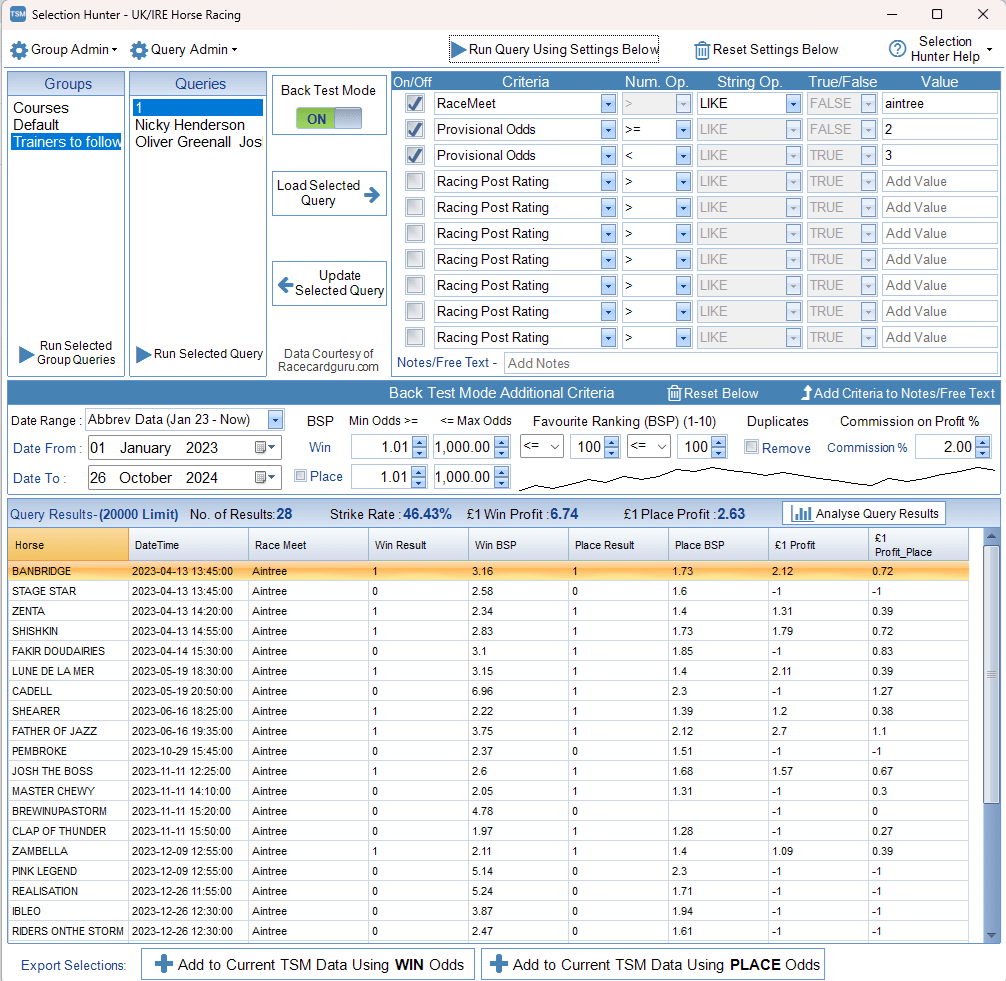
This is a very basic query which when run with the back test mode switched off will list all todays runners at Aintree that have a provisional starting price between 2.00 and 2.99 as shown below.
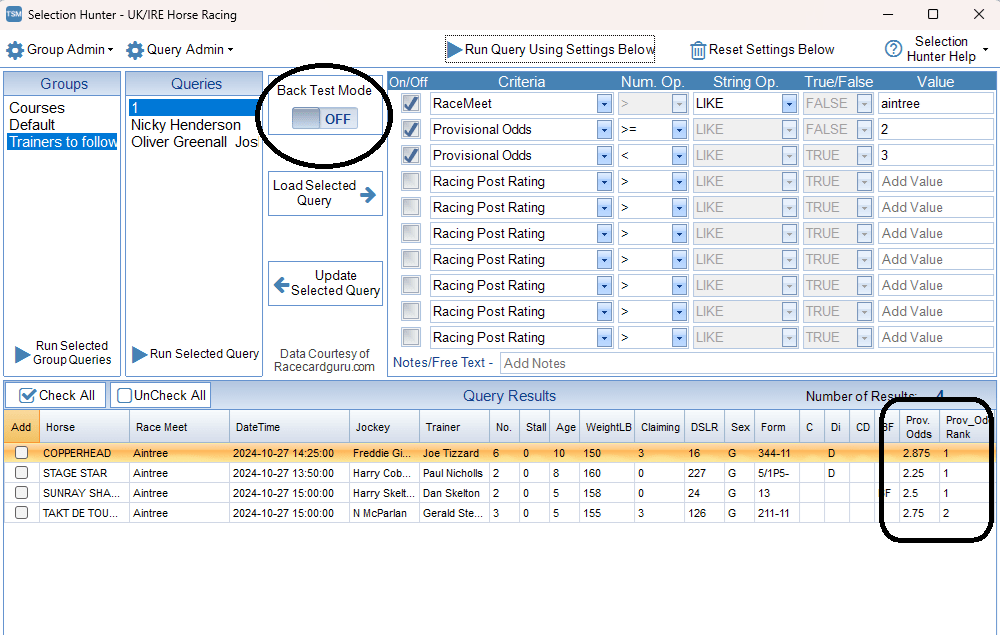
Thre are 4 runners today that meet this criteria and if you notice there are 2 selections for the 3 o clock – Sunray Shadow and Takt Des Touques. In the column next to Prov Odds you will see Prov Odds Rank and this is another factor that you can drill the criteria down by as shown below

In the screenshot above I have expanded the interface so this picture is not vey clear but if you click the image you will see a lot more information is readily available for each runner
So we have our short list of runners and with the strike rate of this query being 68% we can expect 2 of the 3 to win as long as the BSP is between 2.00 and 2.99
We can use Betangel to place or bets for us at the BSP range specified. ie 2.00 – 2.99
The selections are
13:50 Stage Star
14:25 Copperhead
15:00 Sunray Shadow.

 Betornot
1 Comment